17 Dec 20255 minute read

17 Dec 20255 minute read
With AI coding agents assuming more responsibility inside development tools, they're moving beyond single-prompt interactions to ongoing, multi-step processes. This comes with its own set of challenges — keeping context intact and maintaining continuity as work evolves. However, these challenges compound when teams start running multiple agents in tandem: chats multiply, follow-ups overlap, and handoffs become harder to track, making it difficult to see how everything fits together.
Amp, the AI coding agent recently spun out of Sourcegraph, is tackling that problem head-on with Thread Map, a new way to visualize how threads (e.g. individual chats or lines of work with an agent) relate to each other over time. So rather than treating conversations as isolated logs, the thread map shows how different threads are linked — which ones stem from earlier discussions, which ones reference prior work, and which ones continue it. This makes it easier to understand how a piece of work developed over time, rather than having to piece it together from separate conversations.
Thread Map is only available through the Amp CLI for now, where running threads: map in the command palette opens the visual view of connected threads.
Crucially, this isn’t just a static overview. From the CLI map view, users can select a thread, press Enter, and jump straight into it, continuing their work from there.
Amp presents Thread Map as nodes in a graph, showing relationships created through references, continuations, or handoffs. The goal is to make activity across related conversations easier to understand — particularly as work starts to branch and connect in more complex ways.
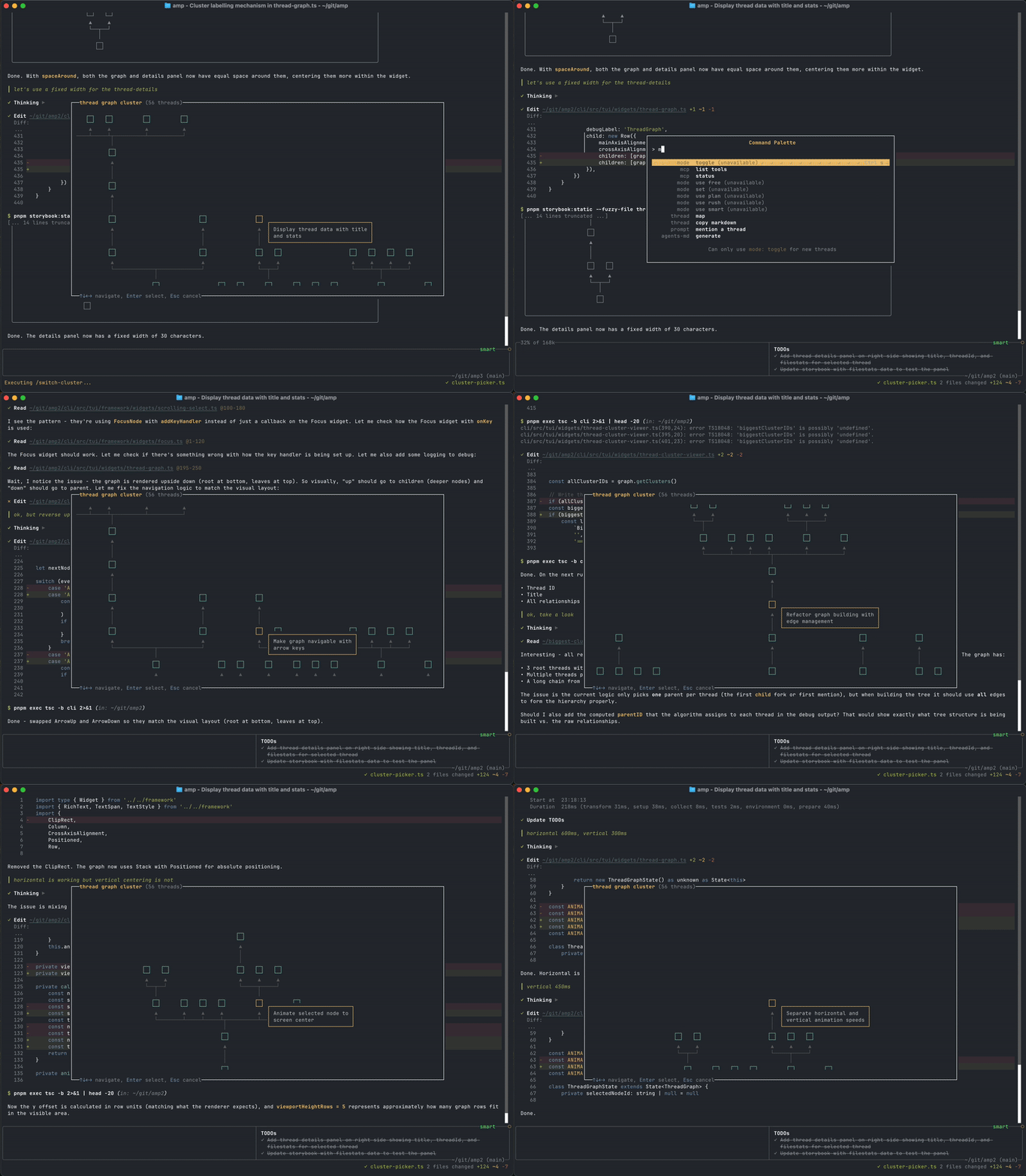
That becomes especially useful when agent-driven work runs in parallel. When several agents are operating at the same time, it’s easy to lose sight of which thread produced which outcome, or where work was duplicated or stalled. The map adds a layer of visibility, helping users see how conversations evolve and where effort is concentrated.
Underneath that visual layer, Thread Map is very much about keeping context under control. Amp describes common patterns where one central thread holds the core context, while related threads branch off to handle refactors, sub-features, or follow-on work without carrying unnecessary baggage. In other cases, work progresses through a chain of short threads, each passing along only the context that’s needed to continue. This keeps conversations focused and lightweight, even as work becomes more interconnected over time.
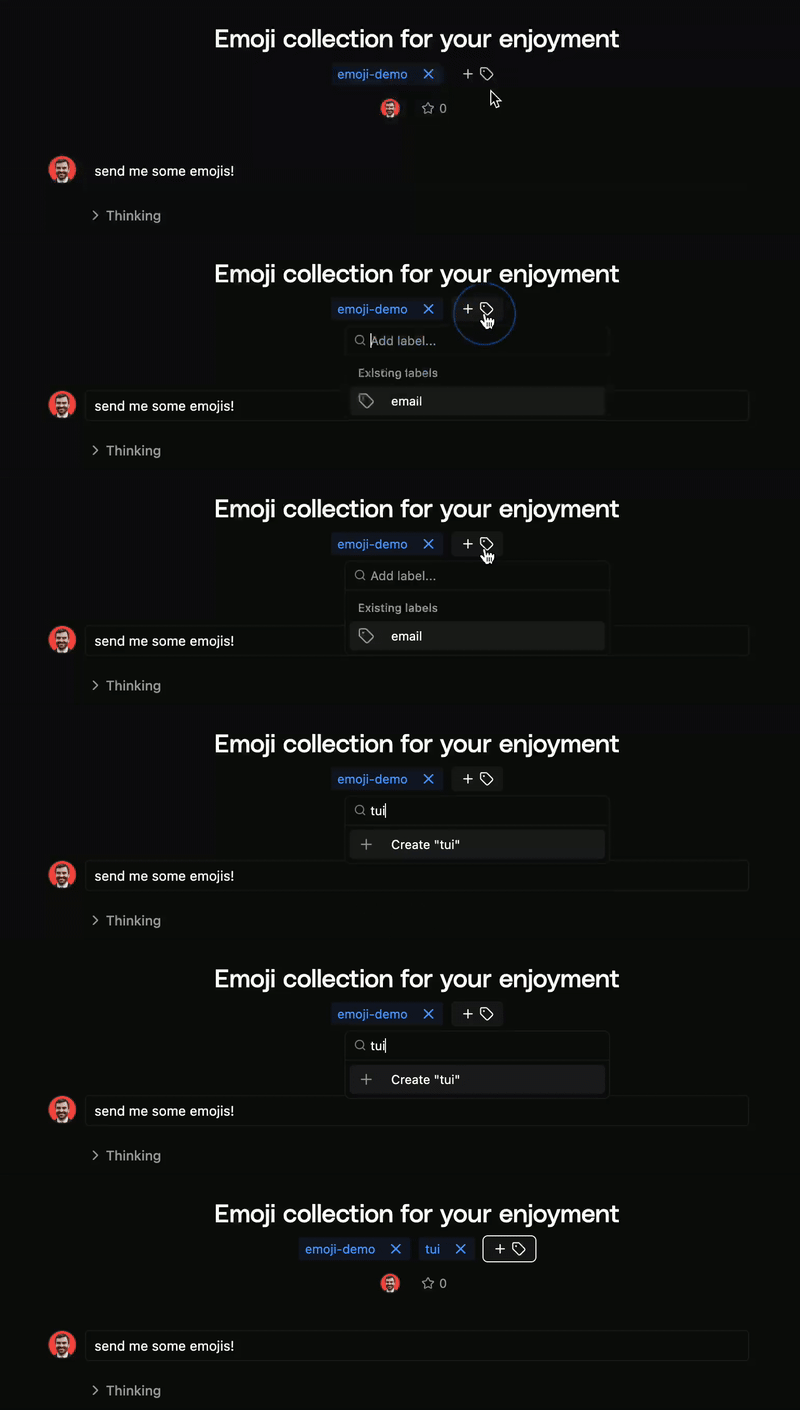
Alongside Thread Map, Amp is adding Thread Labels, which let users tag and filter threads by topic or purpose. Combined with the map, they make it easier to scan complex workflows and focus on what matters.
Addressing a related aspect of the same problem, Amp also introduced a new tool called look_at, which approaches the context problem from another angle. Instead of pushing large documents or images directly into a conversation, look_at analyzes files in its own context window and extracts only what’s relevant.
While look_at isn’t explicitly tied to threads, it reflects the same underlying concern: keeping context manageable as inputs grow. By isolating file analysis from the main flow, it helps prevent long-running conversations from becoming bloated or unfocused.
Collectively, these updates highlight a growing shift away from what agents can do isolation, toward how their output can be tracked, understood, and refined over time. Thread Map adds visibility into how work connects, labels add lightweight structure, and look_at helps keep external material from overwhelming the broader flow.
None of this changes how agents reason or remember internally. More, it addresses a practical bottleneck: helping people make sense of increasingly connected conversations, handoffs, and follow-on work.
As agent-use moves beyond single prompts into longer-running tasks, that kind of clarity will certainly matter.